How to build a working app with Claude in 24 hours
Plus, Opus 5 is here, and the one AI tool I'd keep if I could only keep one
Hey lovely people,
Once again, AI is moving extremely fast. But honestly, nothing too crazy happened this week.
I did build a pretty cool app this week though. You'll see it further down.
There's some genuinely good value in here this week.
Anyway, here's everything you need to know.
📌 TL;DR
- Opus 5 is here → same intelligence as Fable 5 at half the price, but it's ranked #1 on intelligence and 110th on speed, and here's how to work around that.
- ChatGPT voice landed on desktop → talk to it while it works, and on Mac it can see your screen.
- The one AI tool I'd keep if I could only keep one → plus the free version I found on GitHub.
- I built a working travel planner app in 24 hours → the exact process and the two prompts I used.
Opus 5 is here, and here's my honest opinion
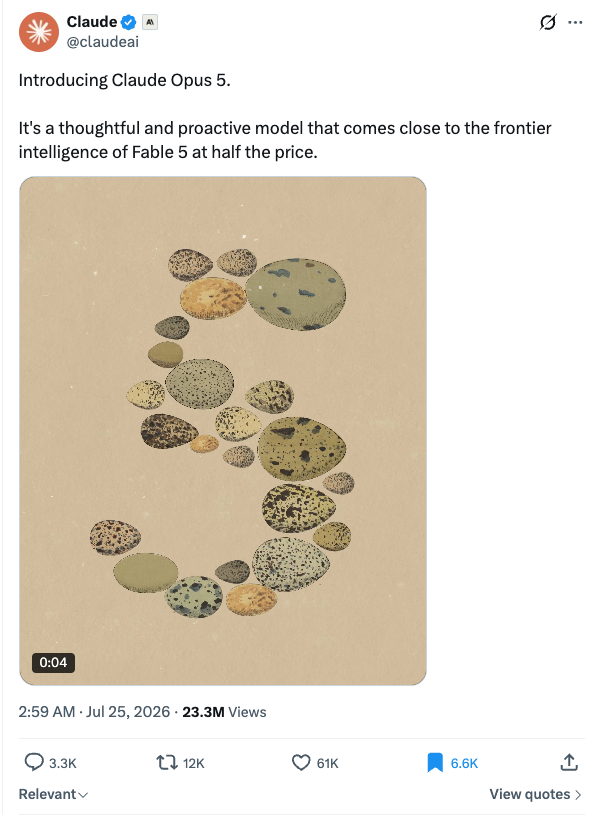
Anthropic dropped Claude Opus 5 almost a week ago. It's half the price of Fable 5, the same price per token as Opus 4.8, and it's on Pro now.
I've been using it non stop all week, so here's my honest take.
It's basically the same intelligence as Fable 5, but way cheaper. The catch is that it feels slow, and I'm not imagining it. On Artificial Analysis it's ranked #1 in the world on intelligence and 110th on speed.
That's mainly because it verifies its own work without being asked. Good thing, right up until you watch it double check every tiny step you give it.
Which is why I'd run it on Fast mode. About 2.5x the speed, at a higher cost per token. And be specific with it, tell it exactly what needs persistence and what doesn't.
The rule I'd give you: Opus 5 for almost everything. Fable 5 when the job is big enough that consistency matters more than the cost.
ChatGPT voice is now on desktop
On 23 July, OpenAI put its new voice mode into the ChatGPT desktop app, on both Mac and Windows.
It runs on GPT-Live, the same voice model that hit mobile earlier this month, which listens and speaks at the same time so you can talk over it without waiting your turn.
If that sounds familiar, it should. It's the same idea as the Claude voice mode I covered last week, and the two shipped on the same day.
You can kick off a task in ChatGPT Work or Codex, then check on it and redirect it, all out loud, while the agents keep going in the background. That's better than Claude's version, which really only does it in Claude chat and Cowork. Definitely hoping Anthropic drops this for Claude Code soon.
On Mac you can also turn on screen context, so it sees whatever window you're looking at. Pretty cool.
Claude vs ChatGPT
Claude's voice reaches into your apps, pulling Gmail, Calendar, Docs and Slack into the conversation.
ChatGPT's points at your computer, driving the work while you talk.
Also this week...
Anthropic released an Economic Index connector → switch it on and ask what people are really handing over to AI, and in which jobs. Measured usage data rather than another survey, and it costs nothing on any plan.
Google DeepMind launched Gemini Robotics 2 → one brain that can run pretty much any robot. It walks, bends down, picks things up, ties knots. Robots are getting better so fast right now, it's wild.
MiniMax H3 is out → a new AI generation model, currently ranked #1 in the world at video editing. It goes free in a few days.
💡 Builder's notes
If I could only use one AI tool, it would be this one
For a couple of months now I've been using an AI tool called Granola, and it's so helpful.
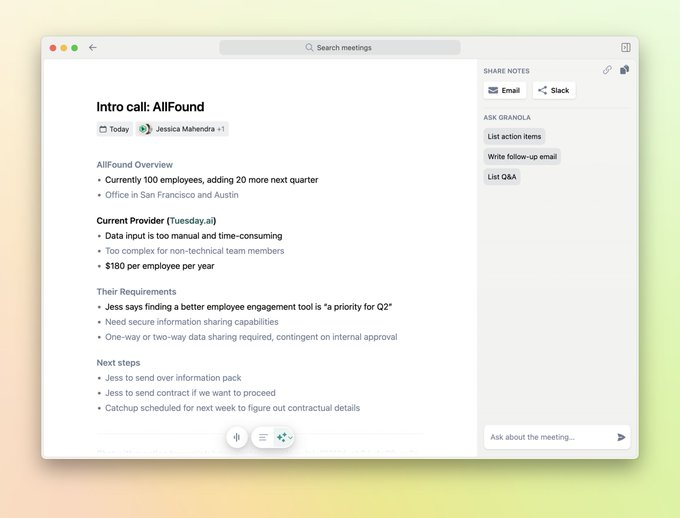
If you take a lot of calls or online meetings, Granola is a beast.
It's basically an app that sits in the background on your device and records the audio of your calls. Once you're done it transcribes the whole thing, with summary notes and a chatbot you can ask questions to.
And it's not one of those annoying bots that sit in the meeting where everyone can see them. It just listens in the background.
The cool thing is it works on your phone too, so you can record a sit down meeting at a cafe, or a phone call.
I use this every day and I've never lost anything a client has said. I've even linked it into my Obsidian vault, so every time I forget what someone said I just ask Claude,
"what did James say last Tuesday about x and y",
or
"make an action summary of dot points to complete".
It's free with limited access.
If you're a bit more technical, there's one I recently found on GitHub that's pretty much an ultra minimalist version of Granola, and completely free. I've been testing it and it's really good.
It's called Quill, and it's got 2.6k stars on GitHub.
AI is really killing the need for subscriptions 😂
I built a fully working travel planner app called “Trippy” in 24 hours, here's how
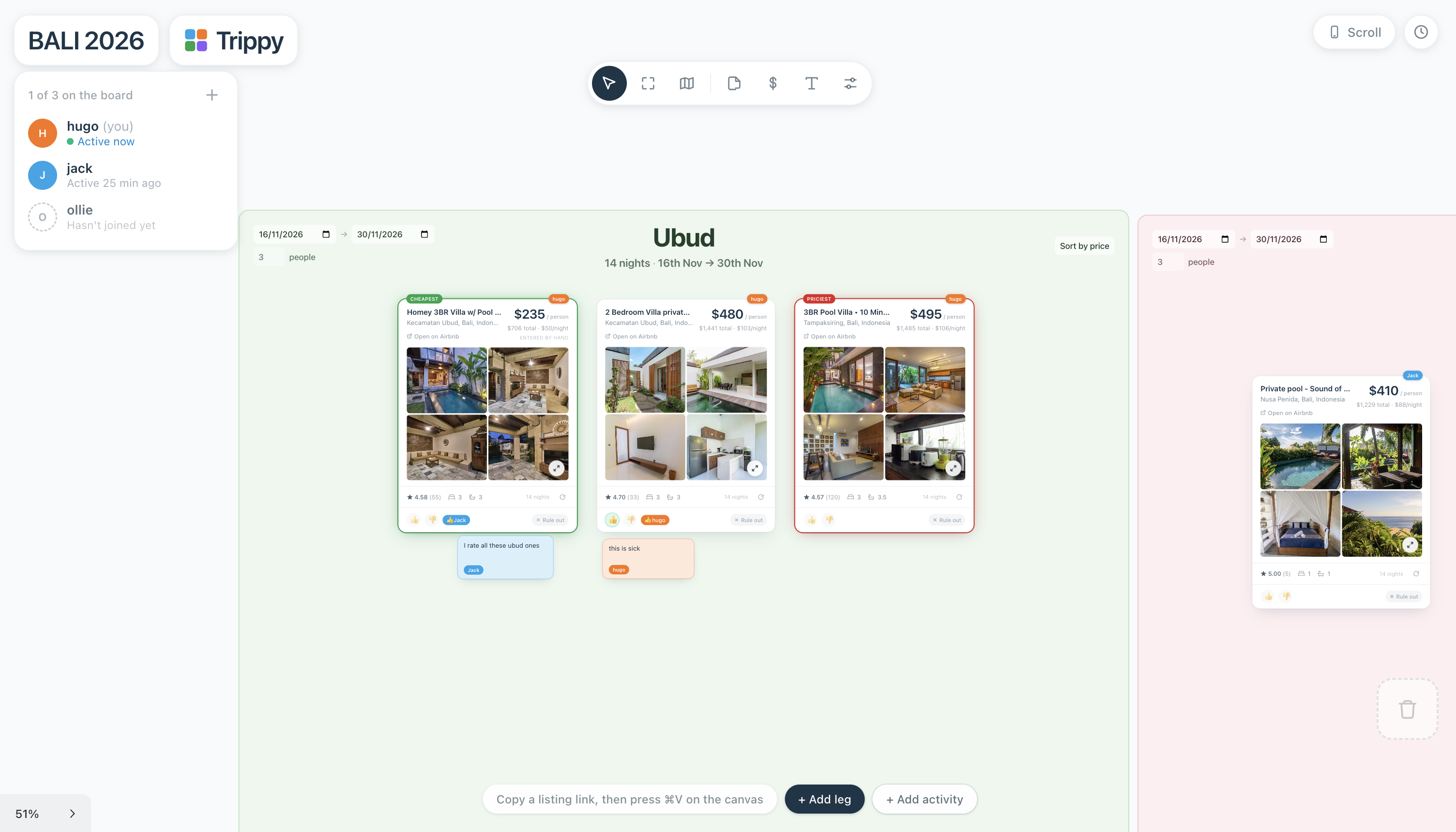
The other day me and some friends booked a flight to Bali, and we needed to start looking for places to stay.
I don't know about you, but every time you plan a group trip with friends, booking a place is so annoying and messy. Everyone's pasting their Booking.com and Airbnb links into the chat. You have to scroll through every single one. and you instantly forget what the last place looked like the second you open the next one.
So I thought, why don't I just build the solution to this with Claude Code?
Then I fixed the most annoying part of the whole thing. You can see where every single place actually is on the map, all at once.
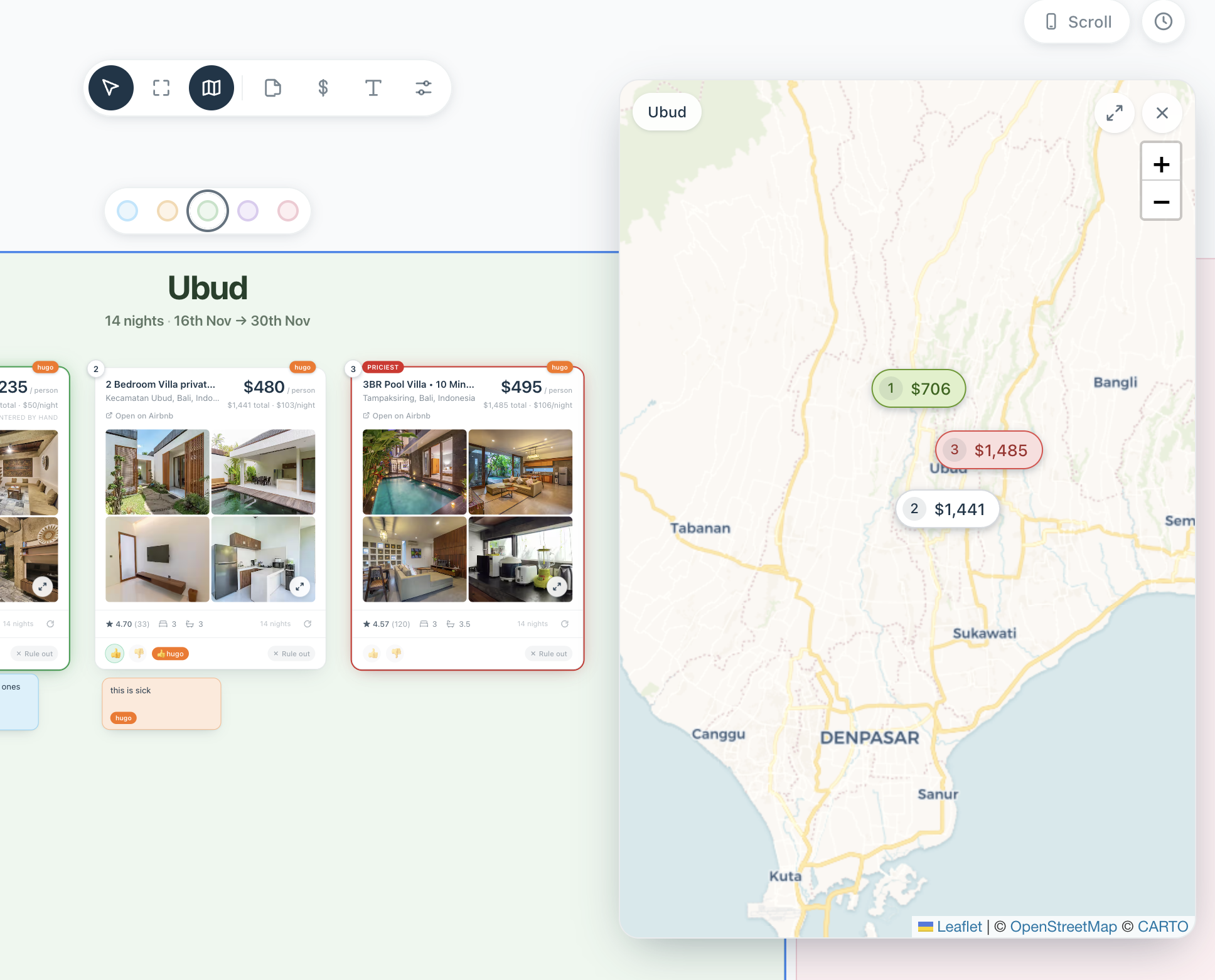
It auto calculates the price per person based on how many people are going, right there on the card.
And it's completely live, so you can see what everyone's doing as they do it.
So how do you build working projects like this with Claude Code?
My process is pretty simple.
First, switch the model to something with high intelligence. Opus 5 or Fable 5 are both good.
Then I use a voice dictation tool to brain dump the entire thing. All my thoughts, ideas and the final goal.
The prompt I put along with it is:
help me design a detailed spec doc for this build, use the /grill-me skill to ask me as many questions as you need to get 99% certain on what I want builtHere's the /grill-me skill if you don't have it already.
Once I've answered all the questions and gone through the whole architecture with Claude, and it's built the spec doc, I run this final prompt in a fresh chat on Fable 5:
/goal please build this spec doc
@"SPEC.md"
use sub agent driven development to keep the context window clean: delegating out tasks to Opus and Sonnet sub-agents when needed
/loop until done
Just make sure you don't run this in VS Code, because it doesn't have access to /goal and /loop at the time of writing. Use the terminal or the Claude Code desktop app.
And that's it. It'll get your build about 80% of the way there, hands free.
From there I'll ask it to build a CLAUDE.md for the project, mapping out the entire architecture, so every new chat already knows everything. Then I just keep opening new chats asking it to fix things and add features until I'm happy with it.
The most valuable video about AI agents and Claude I've ever watched
This is a podcast episode featuring AI with Remy, one of my favourite guys in the space. Check him out if you haven't already.
He just dropped this video that goes in depth on pretty much everything about AI agents and building your own AI setup.
Even I got a few insights out of it.
If you're not highly advanced with AI and Claude Code or Codex, I really recommend watching it. It captures literally everything you need to know in just over two hours.

🧰 Tools to try
i-have-adhd → a tiny skill that makes Claude answer straight, with no waffle and no "great question!".
book-to-skill → turns any technical book PDF or EPUB into a Claude Code skill, instead of dumping 400 pages into context.
claude-code-setup → Anthropic's own official plugin for getting Claude Code set up properly.
ai-copywriter → an AI copywriter built on real copywriting frameworks, tuned to sound human rather than like a bot.
Two free sites with insane motion graphics, effects and components for your app or website: Hyperiux and OriginKit.
💎 Cool finds
Sam Altman says we're already in the singularity → he said it out loud on the Relentless podcast, and reckons it's going to be hugely positive.
Elon Musk on the future of AI → ignore the doomy title, it's the most level headed thing I've watched in a while.
Opus 5 was left running for 24 hours straight and built an entire game → no external assets, no borrowed code, every model and every sound made by Claude.
Cheffy launched a robot that cracks and cooks your eggs → it does eggs seven ways and times them to finish with your toast, so we are automating breakfast now 😂
Anyway, that's all for today, folks. I hope everyone reading this has a nice robot washing their dishes by next year.
PS: my inbox is always open, happy to answer any questions!
- Hugo
Sign up for more sauce like this
Useful AI, once a week. Written by an actual human. Free forever.
Sent 31 Jul 2026 · Issue #3